Title here
Summary here
The Integrations tab currently provides one integration: Jira. This allows Aegis cases and findings to be linked to Jira issues for tracking in your engineering workflow.
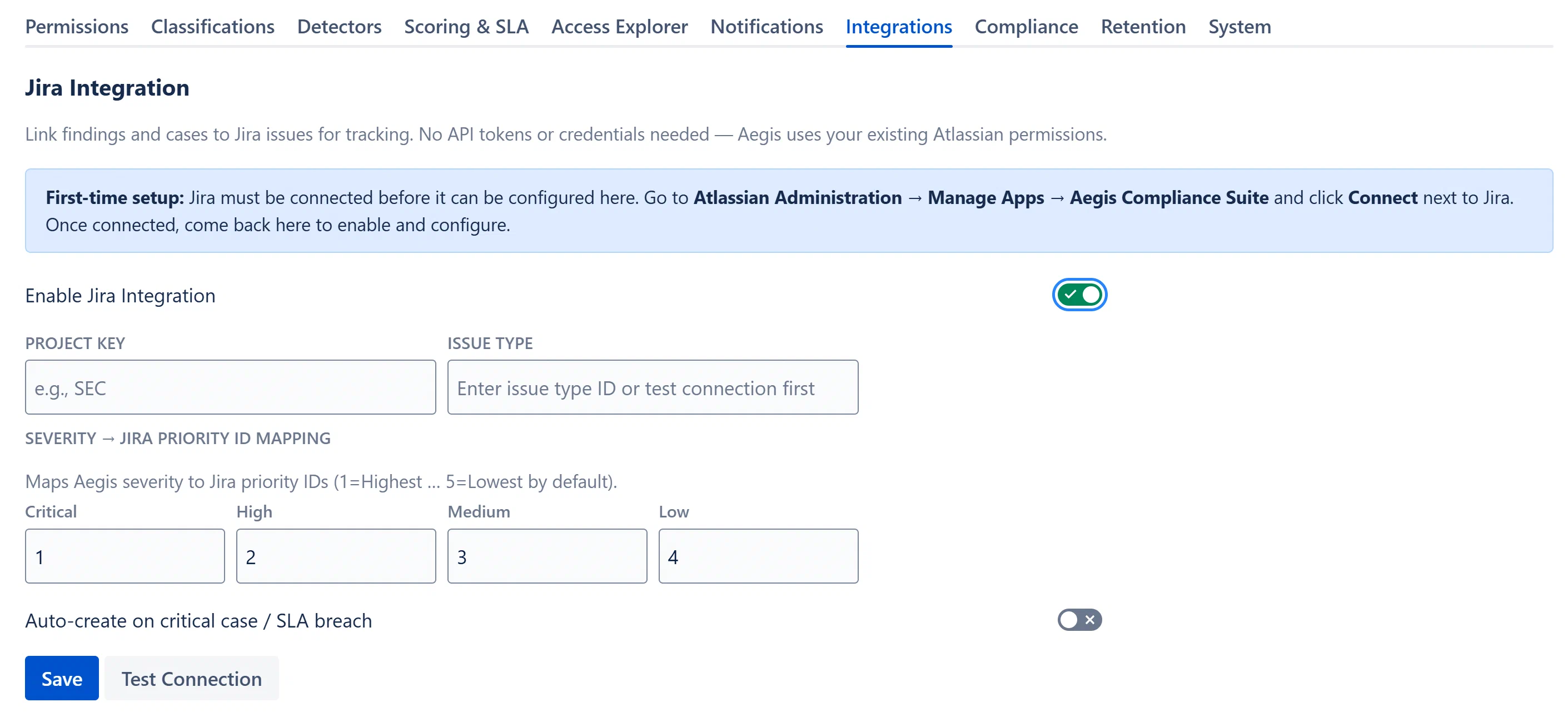
The integration creates Jira issues from Aegis cases and findings. Once linked, the Jira issue key and a browse link are stored on the Aegis entity and displayed in the detail views. This allows your security team to track remediation in Aegis while your engineering team works in Jira.
No API tokens or credentials are required. Aegis uses Forge’s built-in requestJira() which routes through your existing Atlassian Connect JWT.
Before configuring the integration here, you must connect Jira to the app via Atlassian Administration:
This one-time step is required per installation.
Note: If you skip this step and attempt to test the connection, you will receive an error indicating Jira is not connected.