Title here
Summary here
The Permissions tab is where Admins assign, change, and remove Aegis roles for Confluence users. Roles determine which parts of the app a user can see and interact with. Role checks are enforced server-side on every resolver call, there is no client-side-only access control.
The tab has two sections:
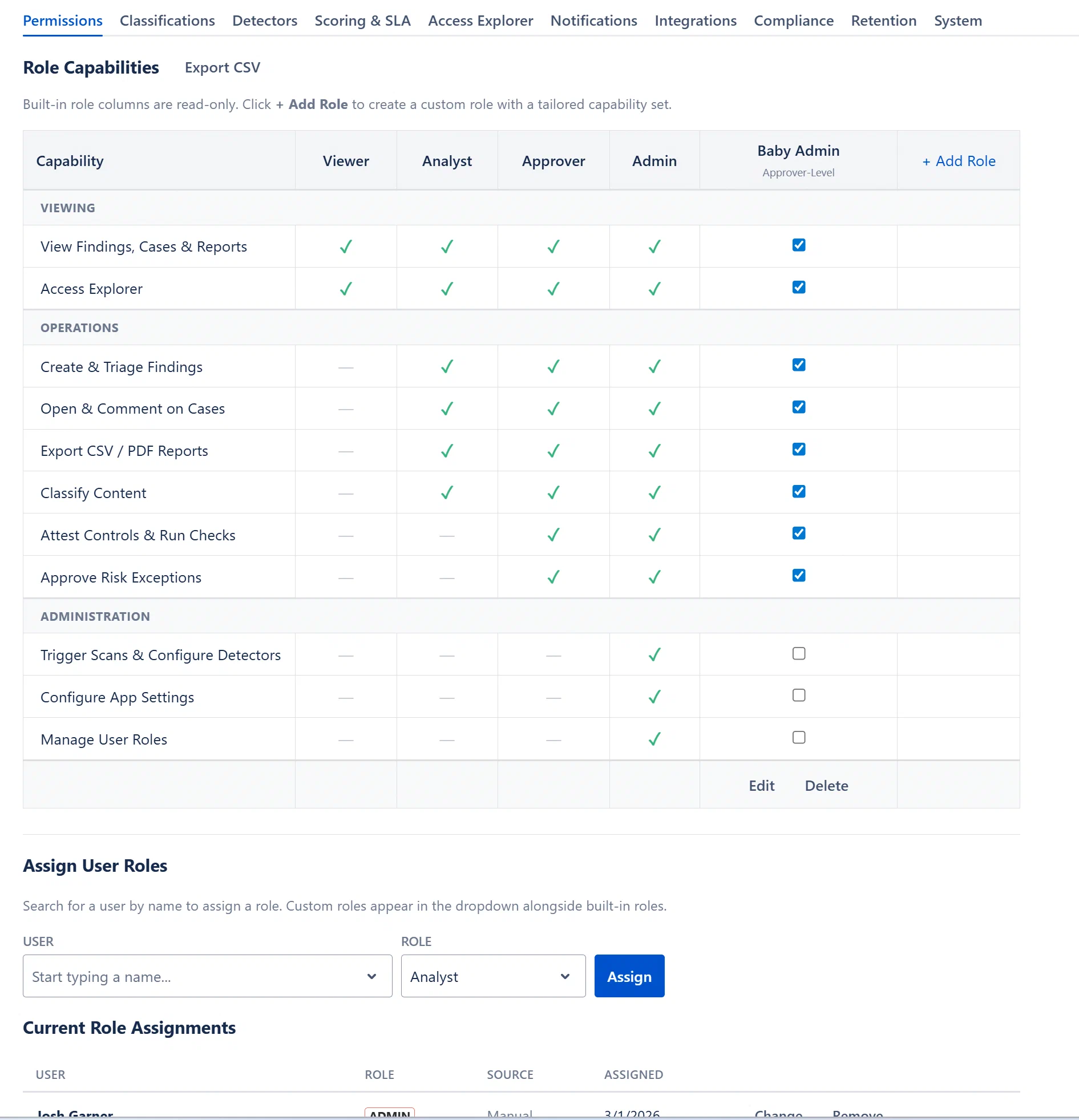
| Role | Lozenge Color | Permissions Summary |
|---|---|---|
| viewer | Gray | View findings, cases & reports; read-only across all dashboards |
| analyst | Green | All Viewer permissions + create & triage findings, open and comment on cases |
| approver | Blue | All Analyst permissions + approve risk exceptions |
| admin | Red | All Approver permissions + configure app settings, manage roles & detectors, run scans & purge data |
See The Four Roles Explained for a full breakdown of each built-in role, and Assigning and Managing Roles for step-by-step instructions.