Navigate to Confluence Settings → Aegis Compliance Suite Settings → Permissions tab.
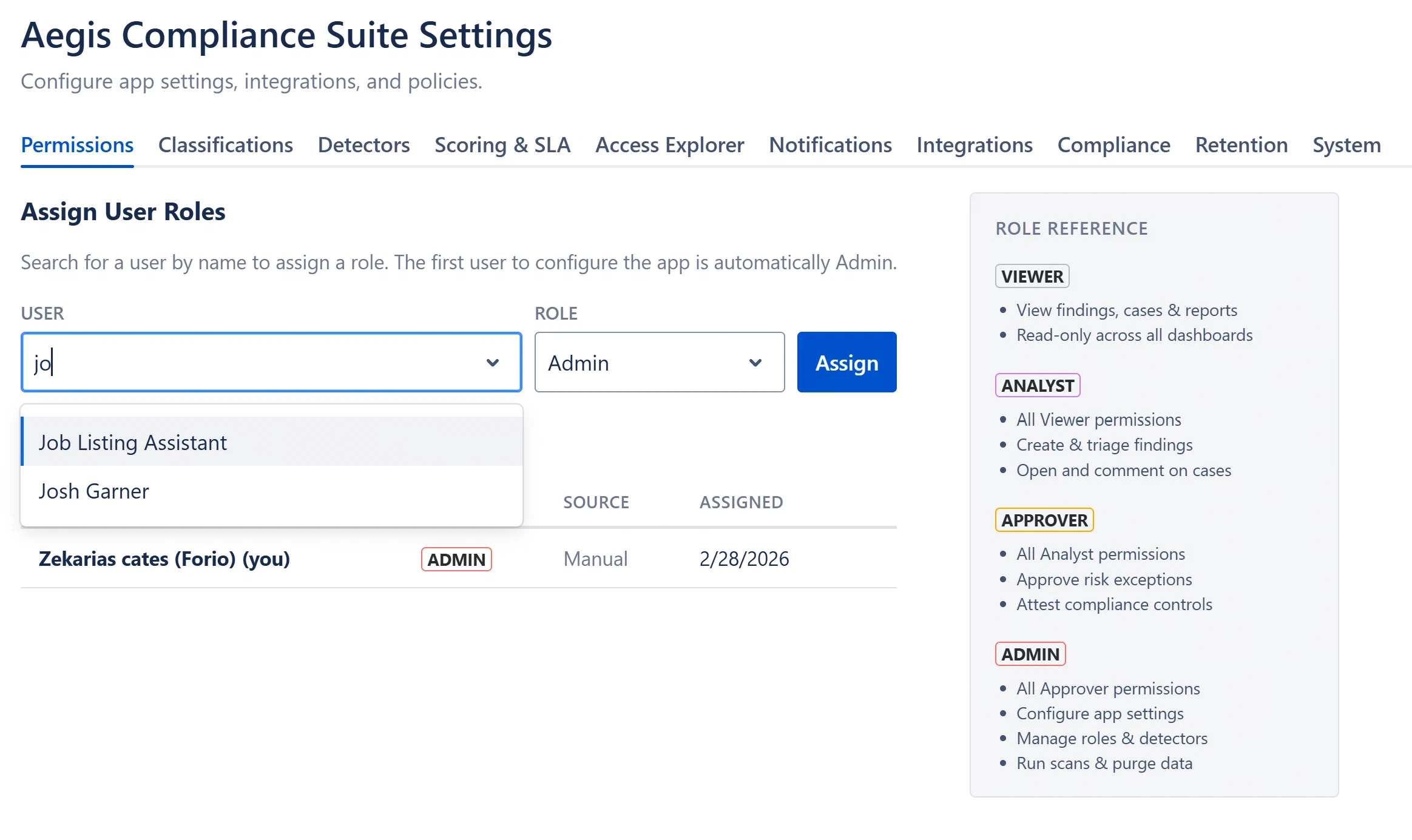
In the “User” search field, start typing the user’s display name or email address. You must type at least 2 characters before results appear.
Click the user’s name in the dropdown to select them.
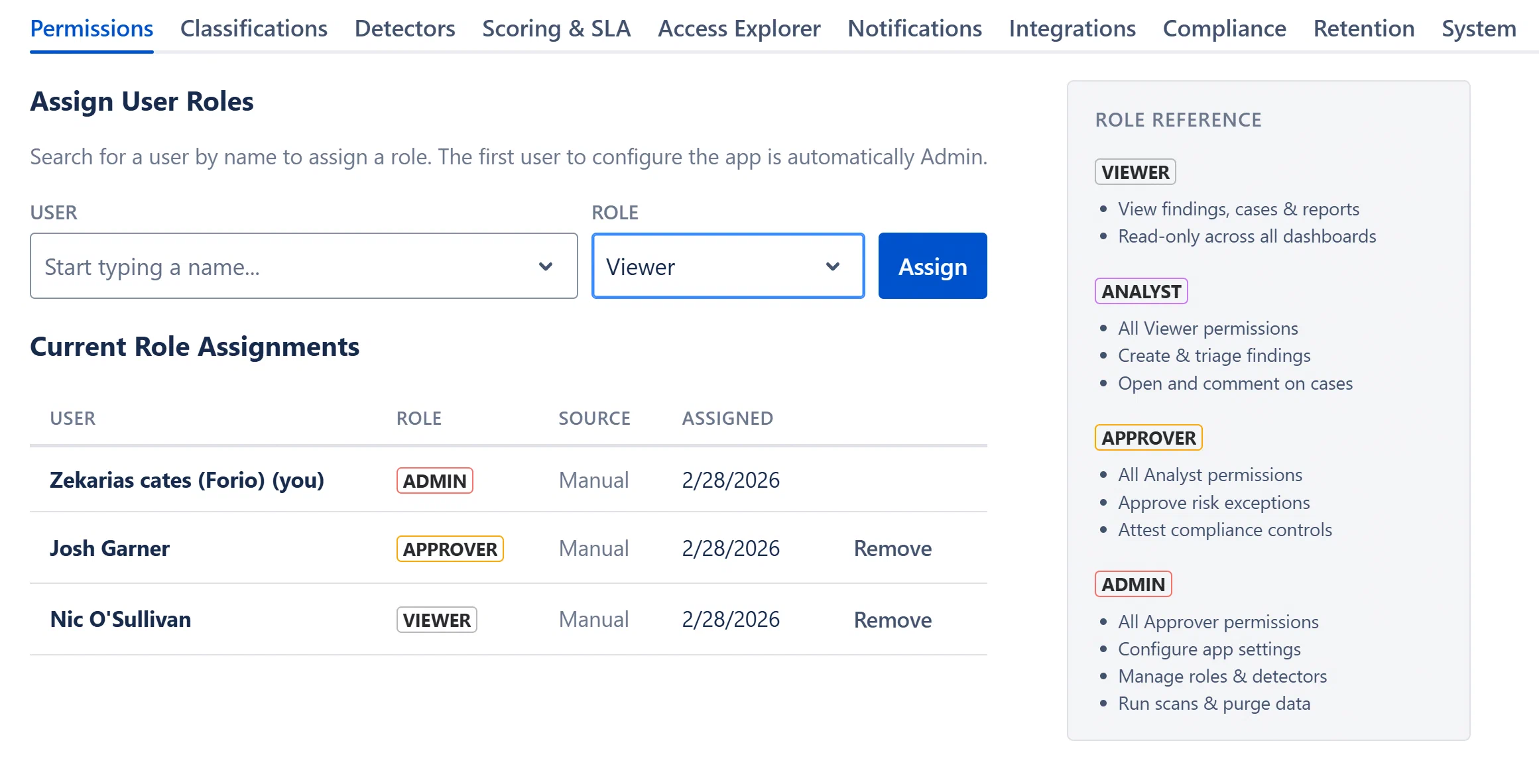
In the “Role” dropdown, select the desired role (Viewer, Analyst, Approver, or Admin).
Click Assign.
A green success banner appears: “Role ‘[role]’ assigned to [Name]”.
The assignment appears immediately in the Current Role Assignments table.
Note: The “User” field searches the Confluence user directory by display name. If a user does not appear, ensure they have logged in to your Confluence site at least once.
To remove a user’s role entirely (revoking all access):
Find the user in the Current Role Assignments table.
Click the Remove button in the rightmost column of their row.
A success banner confirms “Role removed for [Name]”.
Note: You cannot remove your own role, the Remove button is hidden for your own row. Roles automatically granted to Confluence site administrators show a “Confluence Admin” lozenge and no Remove button.