Title here
Summary here
The data retention system automatically purges old records from the Entity Store on a daily schedule. Without retention, data accumulates indefinitely, which affects performance as large Entity Store tables slow down index queries.
Warning: Purged data cannot be recovered. The Entity Store has no recycle bin. Set retention periods conservatively, especially for evidence-event (audit trail) records.
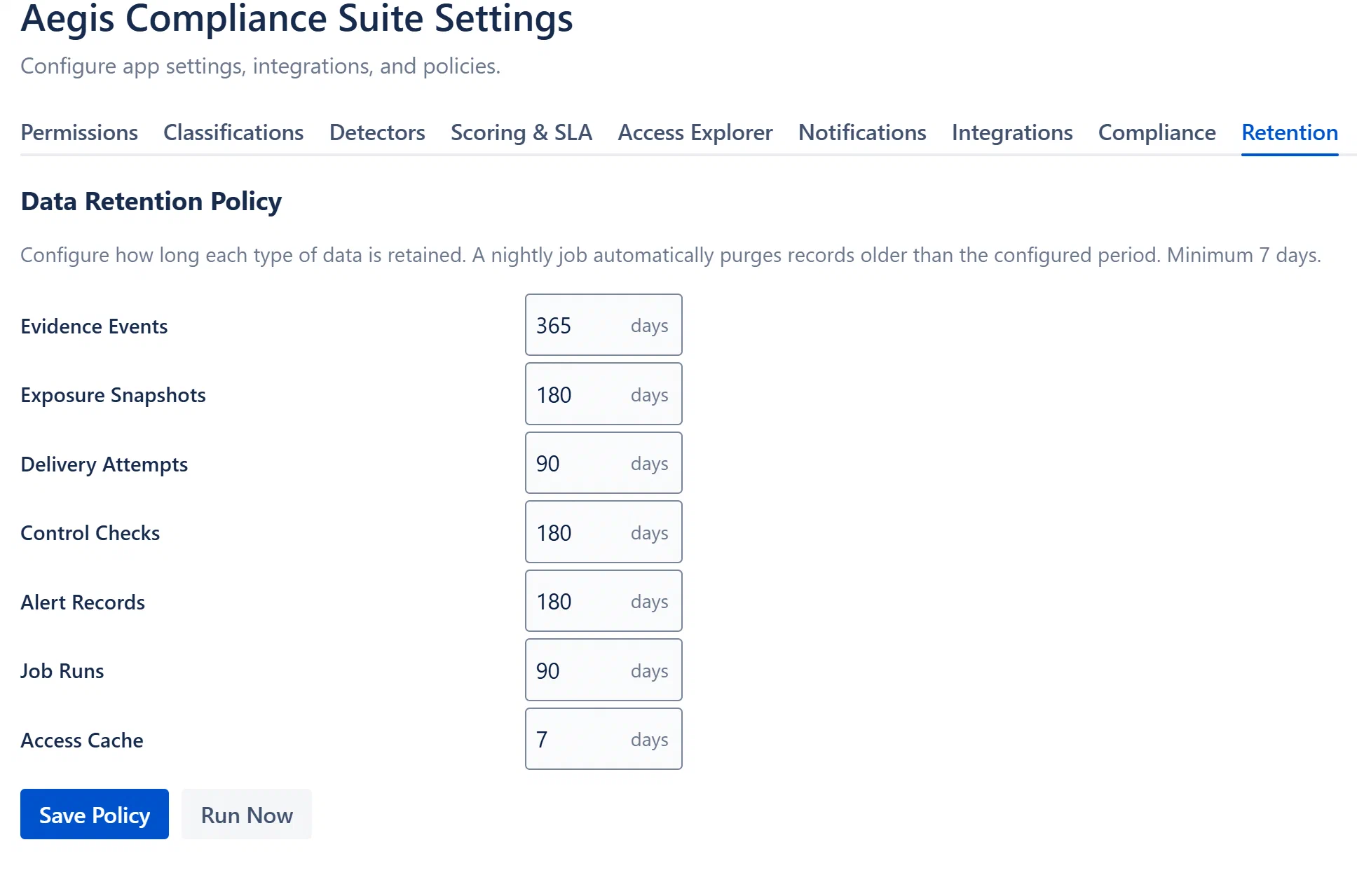
Each entity type has an independent retention period in days. The minimum value enforced server-side is 7 days.
| Entity Type | Display Label | Default | What Gets Purged |
|---|---|---|---|
evidence-event | Evidence Events | 365 days | Audit trail entries (finding created, case status changed, etc.) |
exposure-snapshot | Exposure Snapshots | 180 days | Point-in-time exposure score snapshots for each page |
delivery-attempt | Delivery Attempts | 90 days | In-app notification delivery records |
alert-record | Alert Records | 180 days | Triggered drift alert records |
job-run | Job Runs | 90 days | Scheduled job execution history |
access-cache | Access Cache | 7 days | Cached group membership and page permission data |
The purge job runs as a sub-job of the daily maintenance scheduled trigger, typically sometime between midnight and 2 AM UTC. The job:
CreatedAt < (now - retentionDays).