Getting Started On this page FreshForms brings powerful, customizable forms directly into your Confluence pages — no external tools required. Whether you’re building a time-off request system, equipment checkout tracker, or feedback form, FreshForms makes it fast and flexible.
VIDEO
FreshForms is a macro-based form builder that lives inside Confluence. You use macros to add fields, logic, and result tables — all styled natively and easy for teams to use.
What You’ll Need# Before you begin, make sure you have:
Confluence Data Center
FreshForms plugin installed
Permission to add/edit pages in your Confluence space
Core Macros You’ll Use# FreshForms is made of simple building blocks. Here’s what you’ll work with:
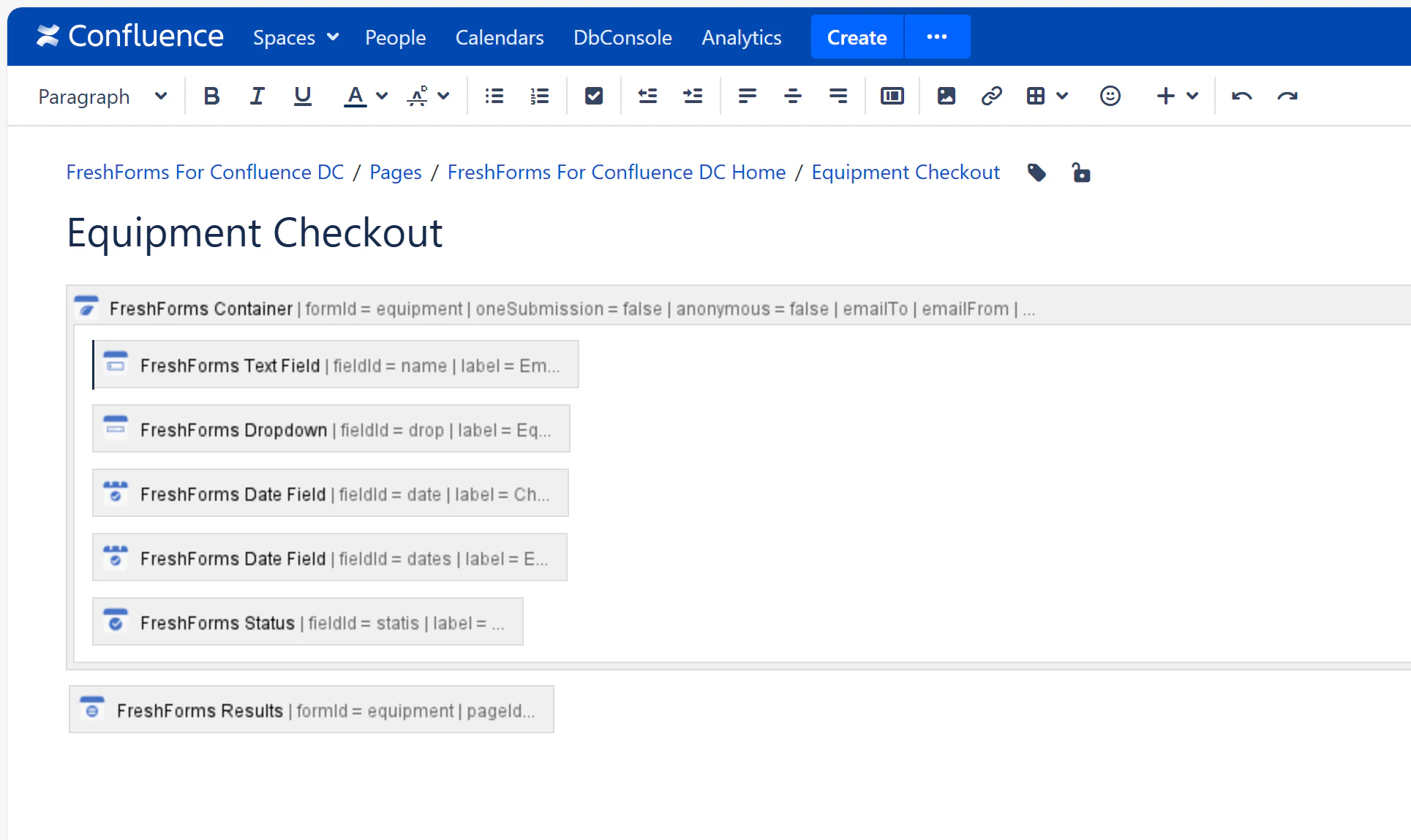
FreshForms Container - Wraps your form and powers itFreshForms TextField - For short answers like names or emailsFreshForms TextBox - For longer inputs like notes or commentsFreshForms Dropdown / Radio / Checkbox - Let users pick optionsFreshForms Date Field - For dates like deadlines or birthdaysFreshForms Status - For tagging things like Approved or In ProgressFreshForms File Attachment - Upload files with submissionsFreshForms Conditional Field - Show or hide questions based on answersFreshForms Results - Display all submitted form data in a clean tableHow It Works (in 3 Steps)# Add a FreshForms Container Macro Insert Field Macros Inside Drop in a FreshForms Results Macro (optional)
Pro Tips# Use Status fields to track approval or task state Add Descriptions to guide users while filling out fields Combine with Page Properties or Include Page for advanced setups Each submission is saved per page – perfect for team/project-specific tracking