Required Validation

Certain fields in your form may be marked as required. This validation rule ensures that users fill out these fields before submitting the form.


Validation Rules

  • Must be filled out before submission.
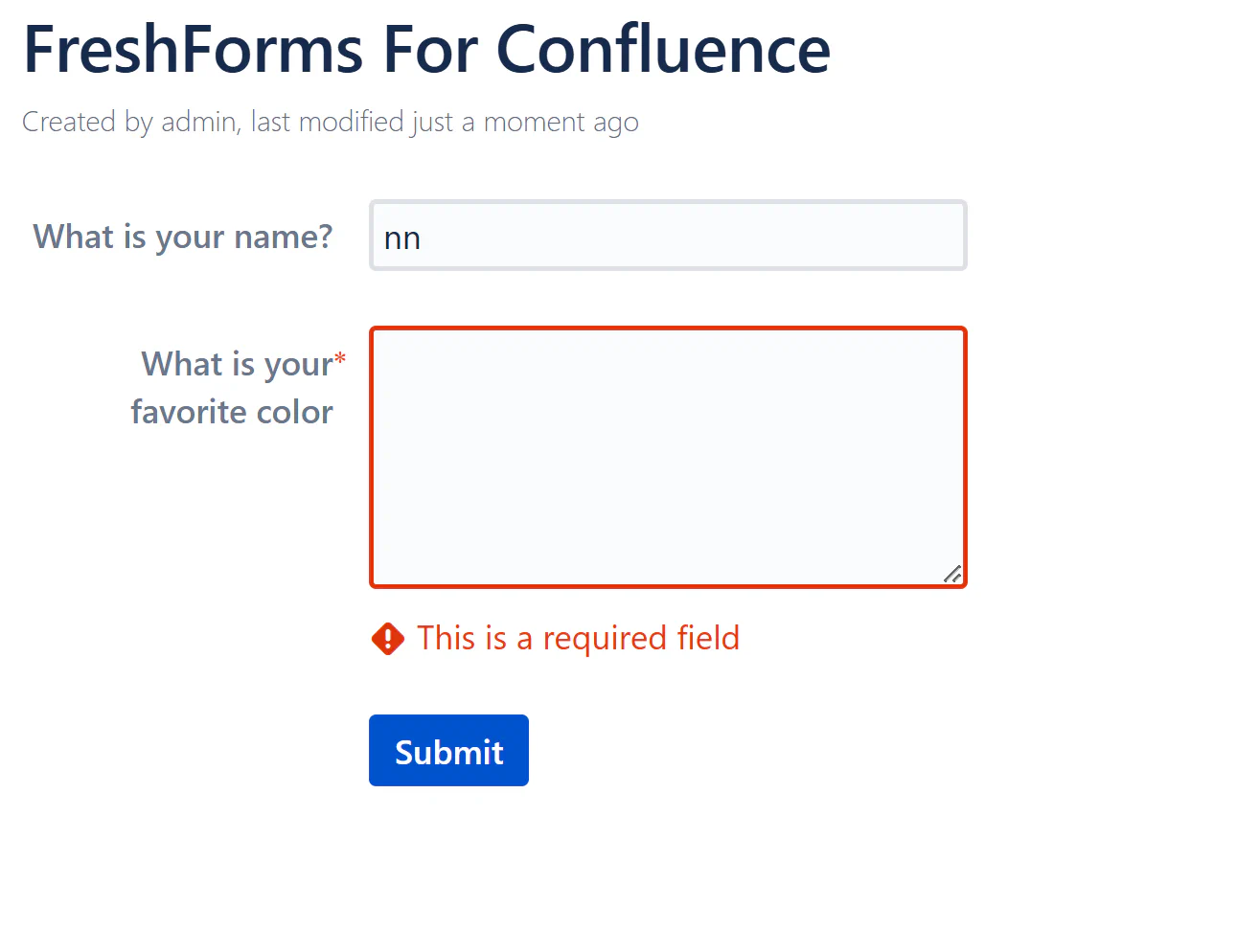
  • Triggers an error message if left blank.

Example Errors

  1. Required Field Validation Error for “FreshForms Text Field” Error: "This is a required field" Error: The field ‘Name’ is required and must be filled in before submission.
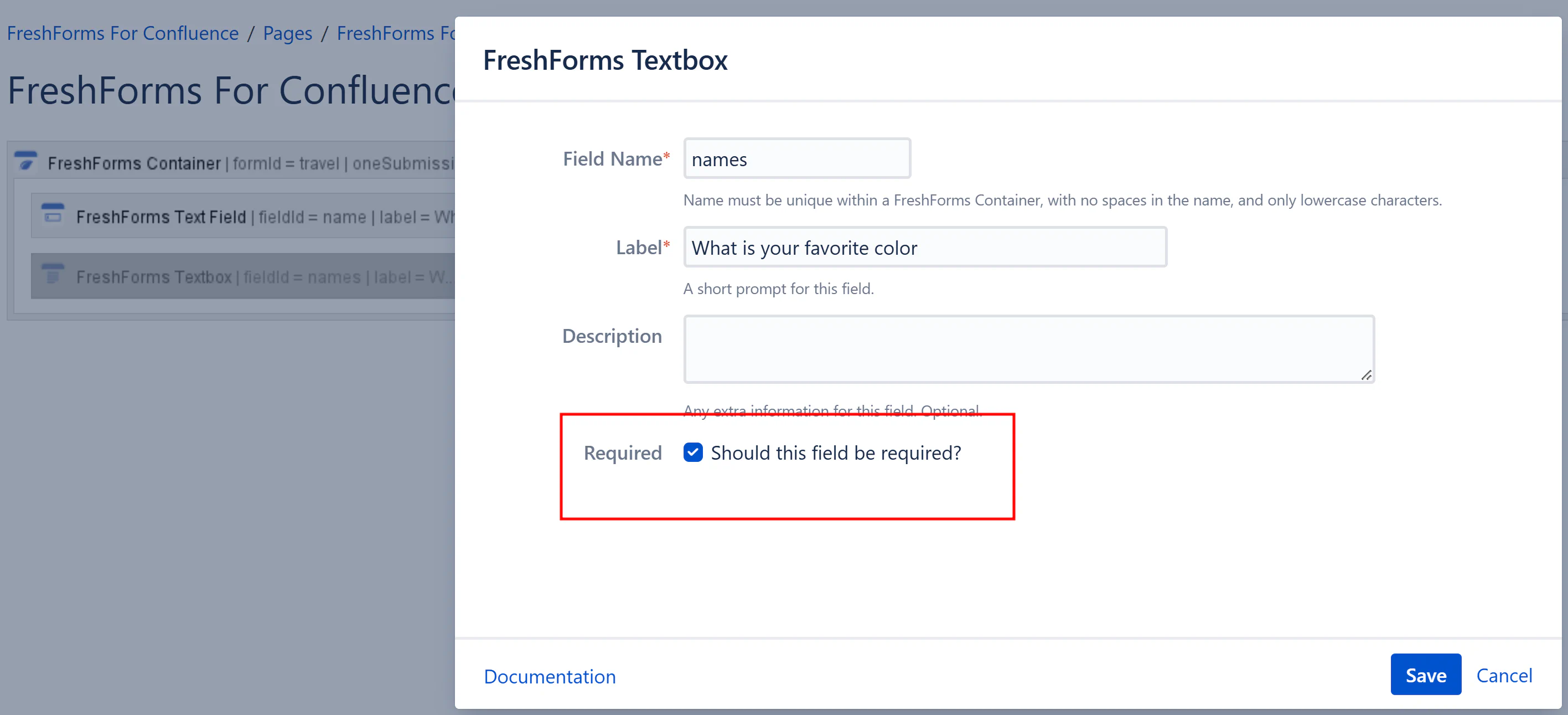
Screenshot 05-05-2025 13.23.51.png

4c28763c-1621-47ea-b0a7-3d04597de928.png


Best Practices

  • Always mark essential fields (e.g., name, email, phone) as required to avoid incomplete submissions.
  • Provide clear labels for required fields so users know which fields need to be filled.
  • Use an optional hint or description to indicate the importance of certain fields.