Title here
Summary here
Enable better decision-making by giving users a straightforward way to provide feedback on policies, pages, or tools. Feedback flows directly into Confluence for team review — no extra software needed.
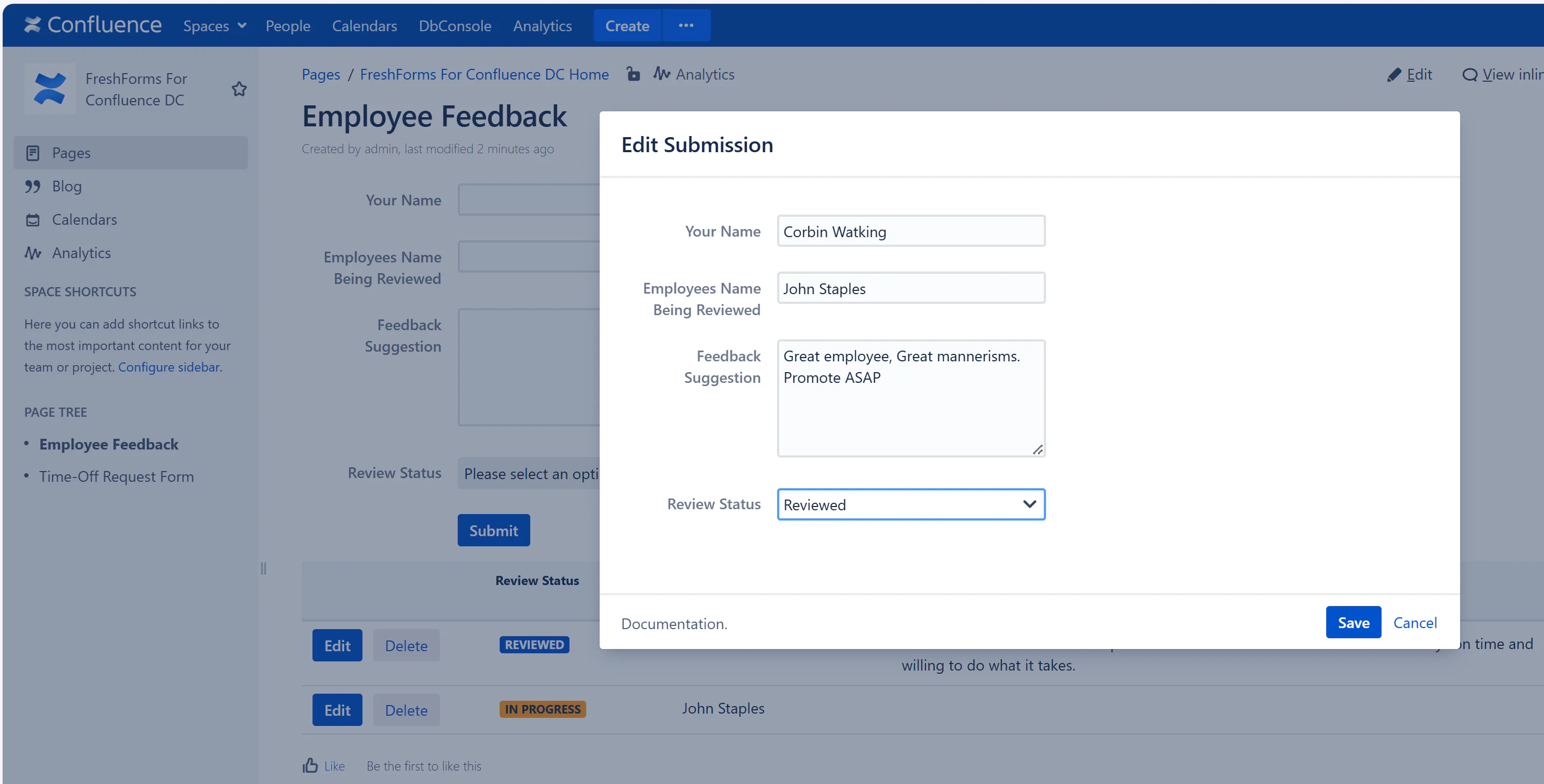
Include these fields:
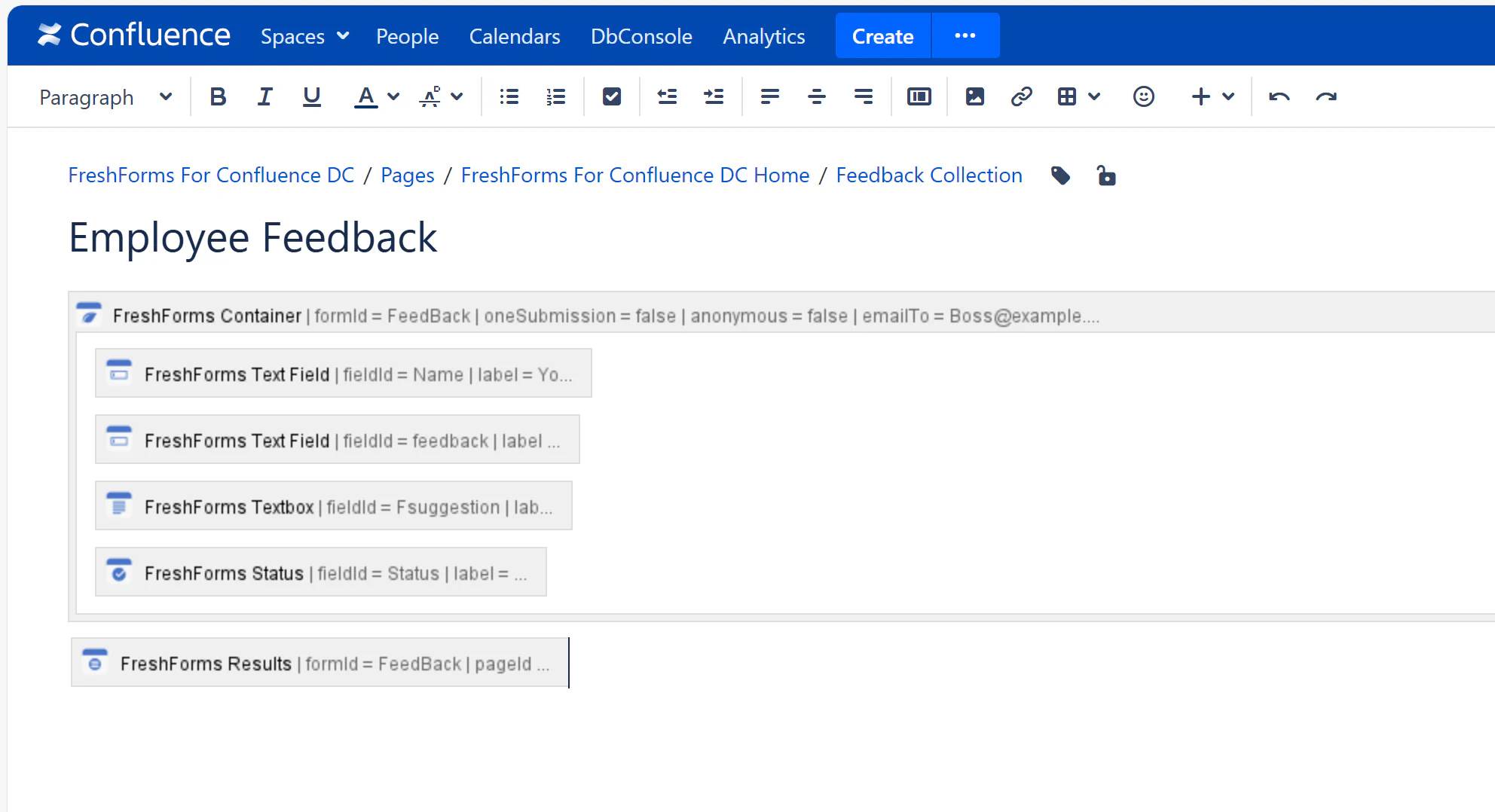
Users can provide specific thoughts, issues, or suggestions about any page or process. The form can be placed at the bottom of a page, or embedded via include.
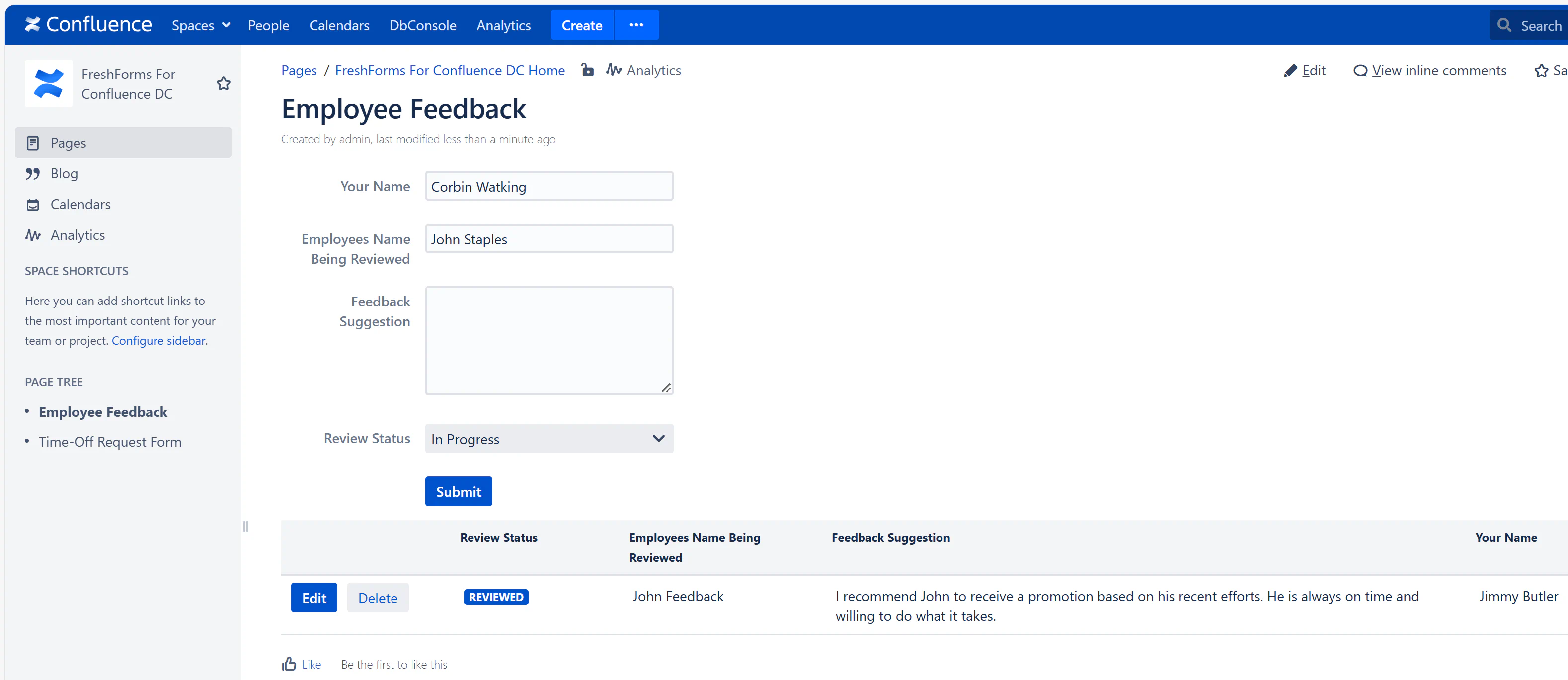
Submitted feedback appears in a dynamic table that can be sorted or filtered by page, status, or reviewer. This allows teams to address and resolve feedback transparently.