Title here
Summary here
Improve accountability and safety by capturing workplace incidents right within your Confluence space. Use dropdowns and status fields to guide users and streamline reporting.
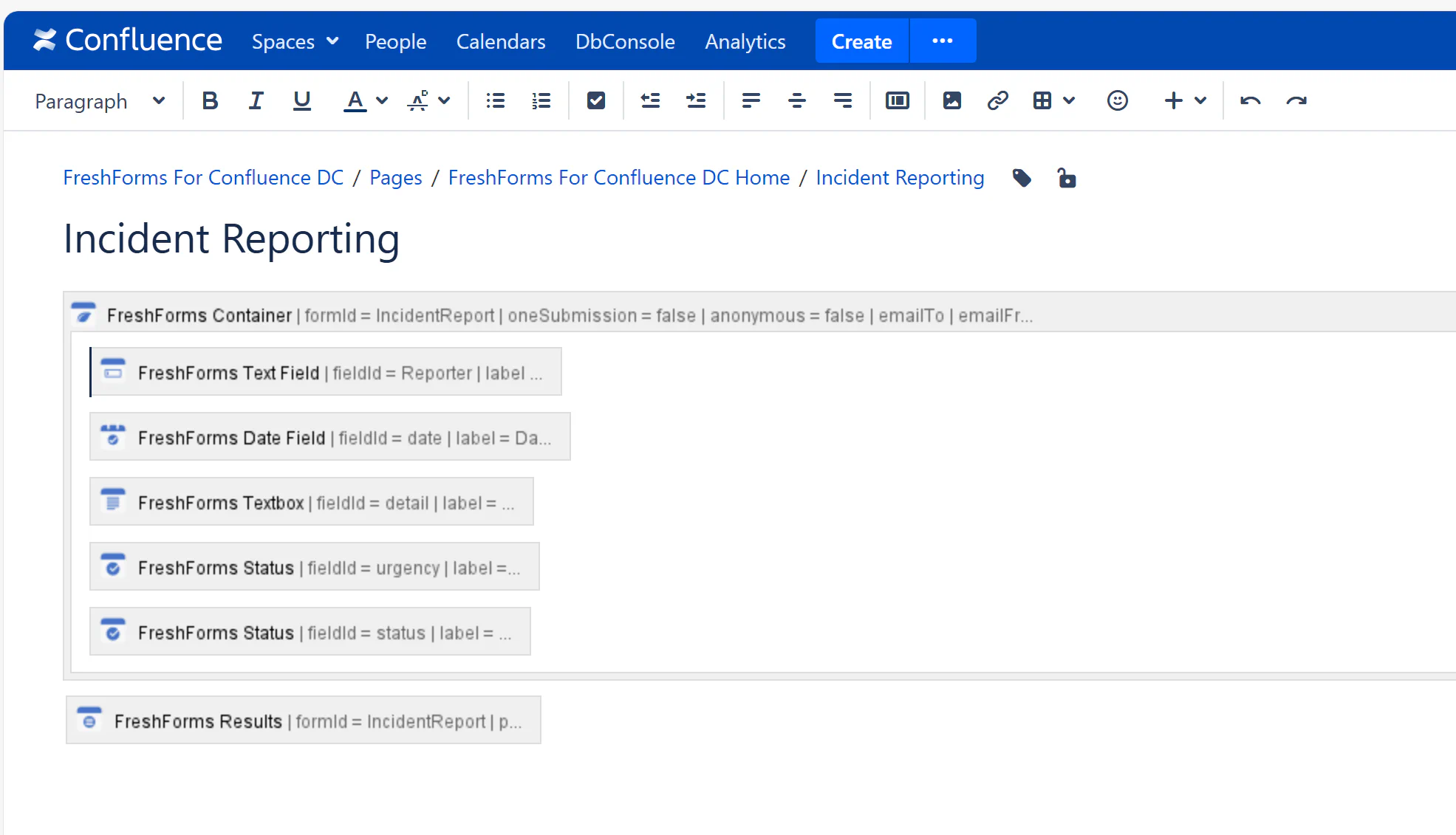
Create a FreshForms form to collect details about workplace incidents. Include:
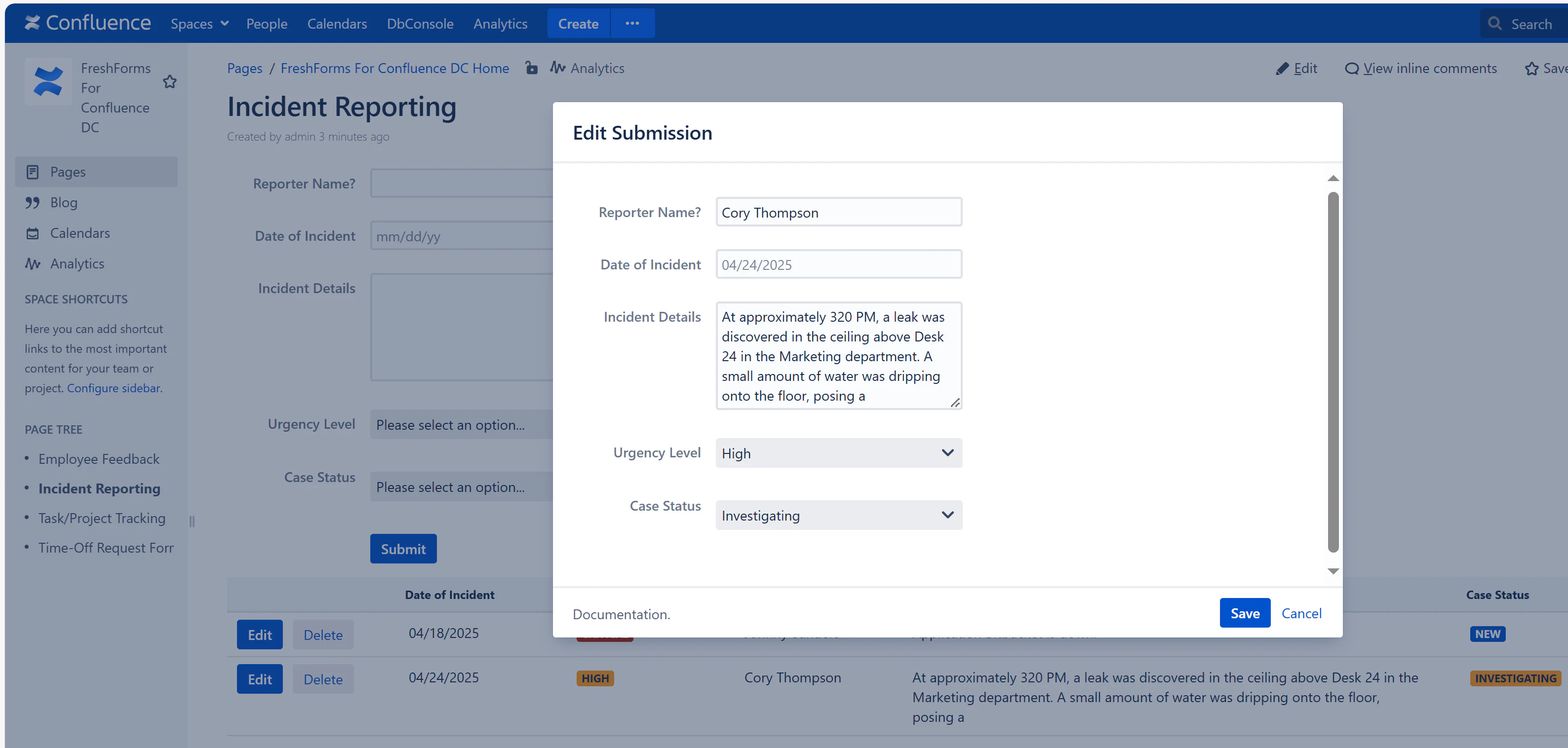
Users describe what happened, when, and the urgency. This can be anonymous or named based on your policy.
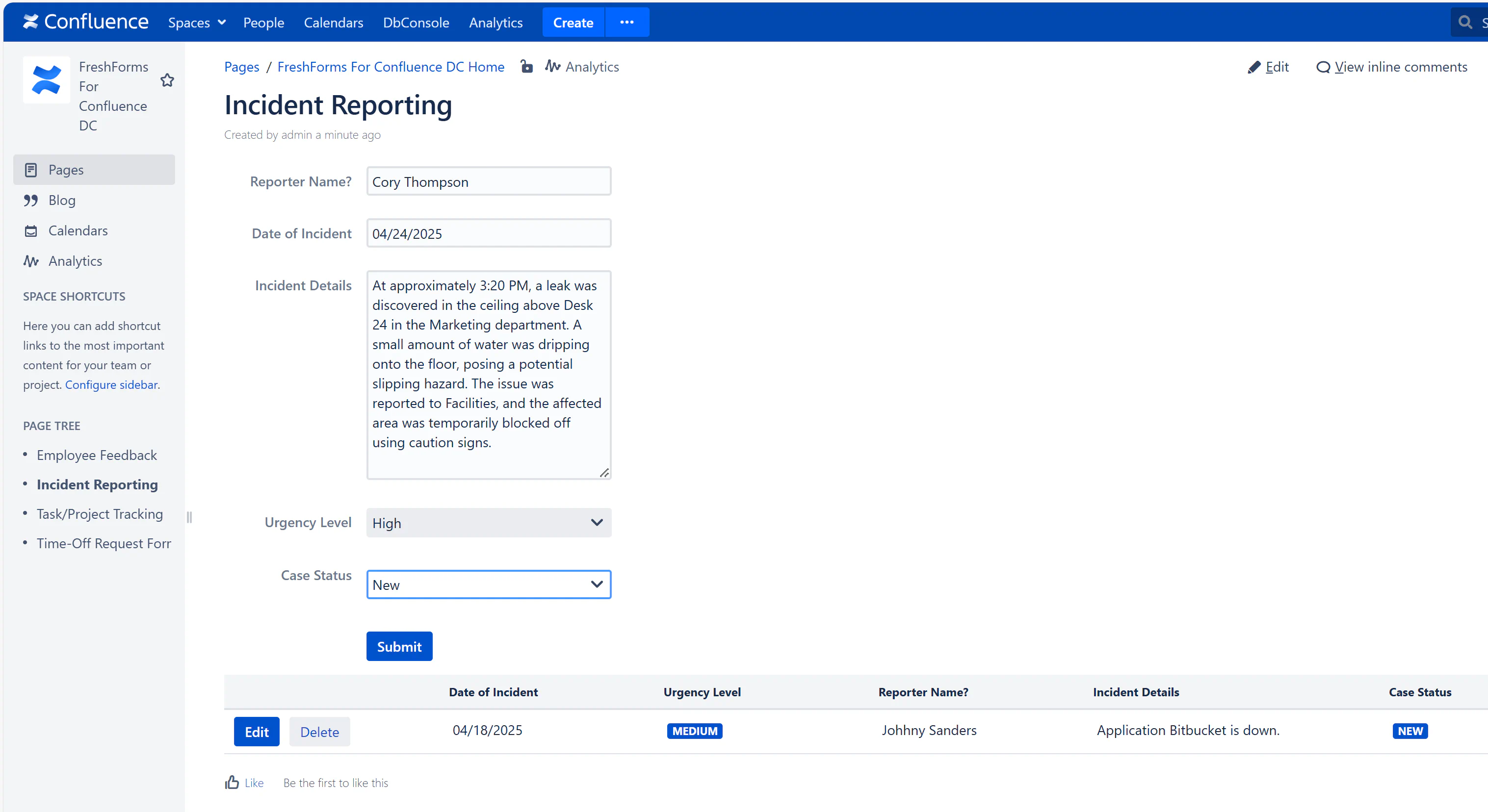
All submissions are visible in a dynamic table with options to Edit, Update Case Status, or Add Notes. Managers can track which reports are still open and escalate critical ones.