Title here
Summary here
Help teams manage time-off requests directly in Confluence without juggling spreadsheets or external systems. Keep HR workflows simple, centralized, and traceable with approval statuses built in.
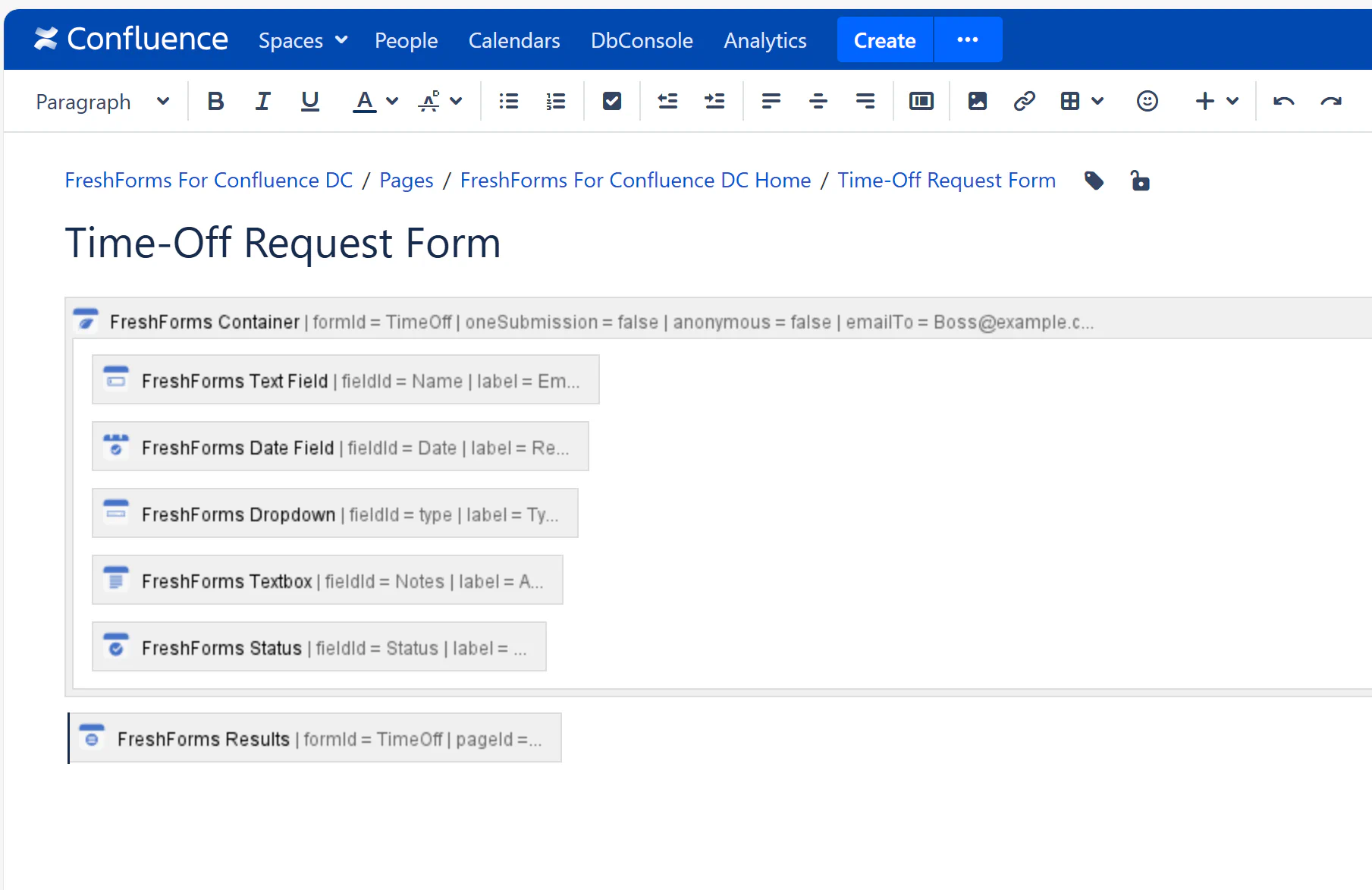
Create a structured form to collect employee time-off requests. Include fields like:
Users fill out the form, choosing their type of leave and adding any relevant notes.
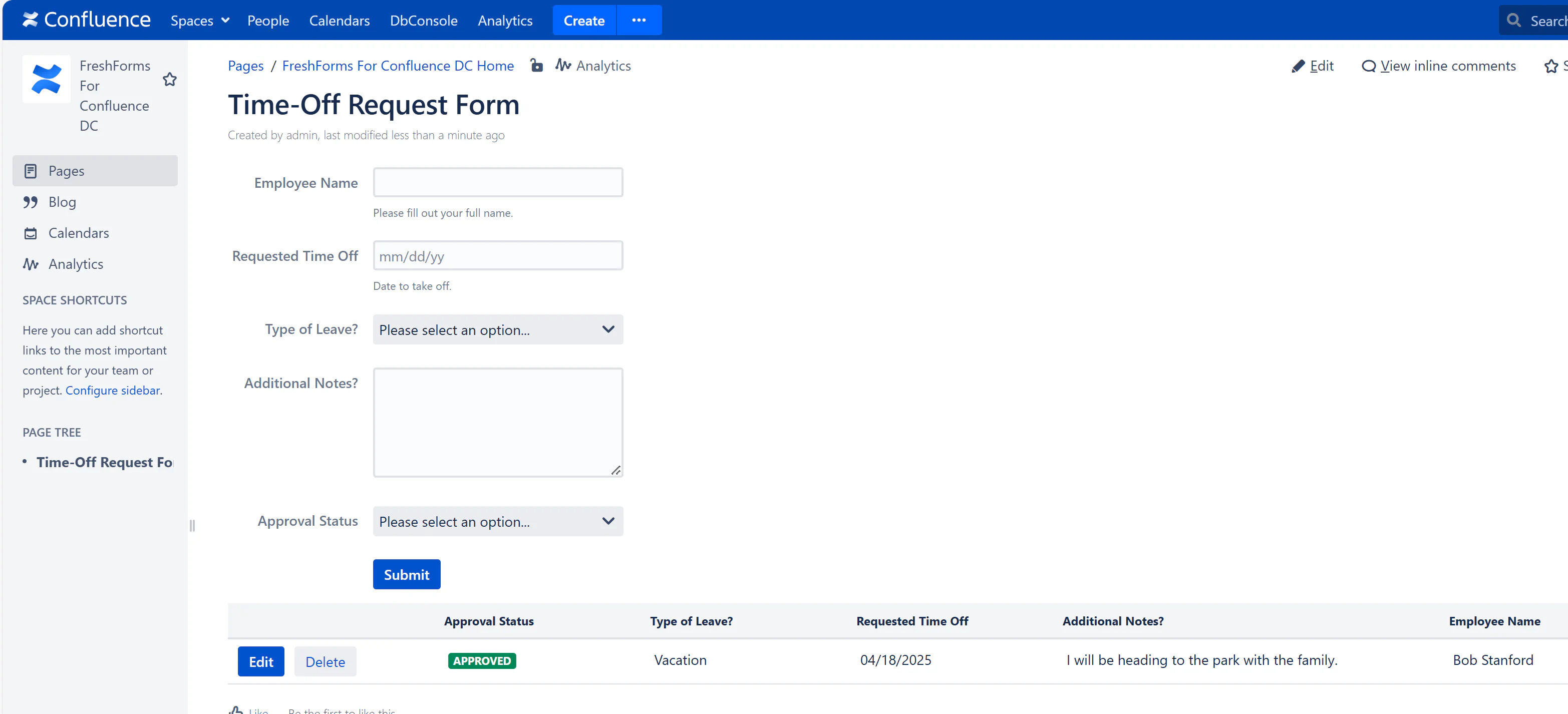
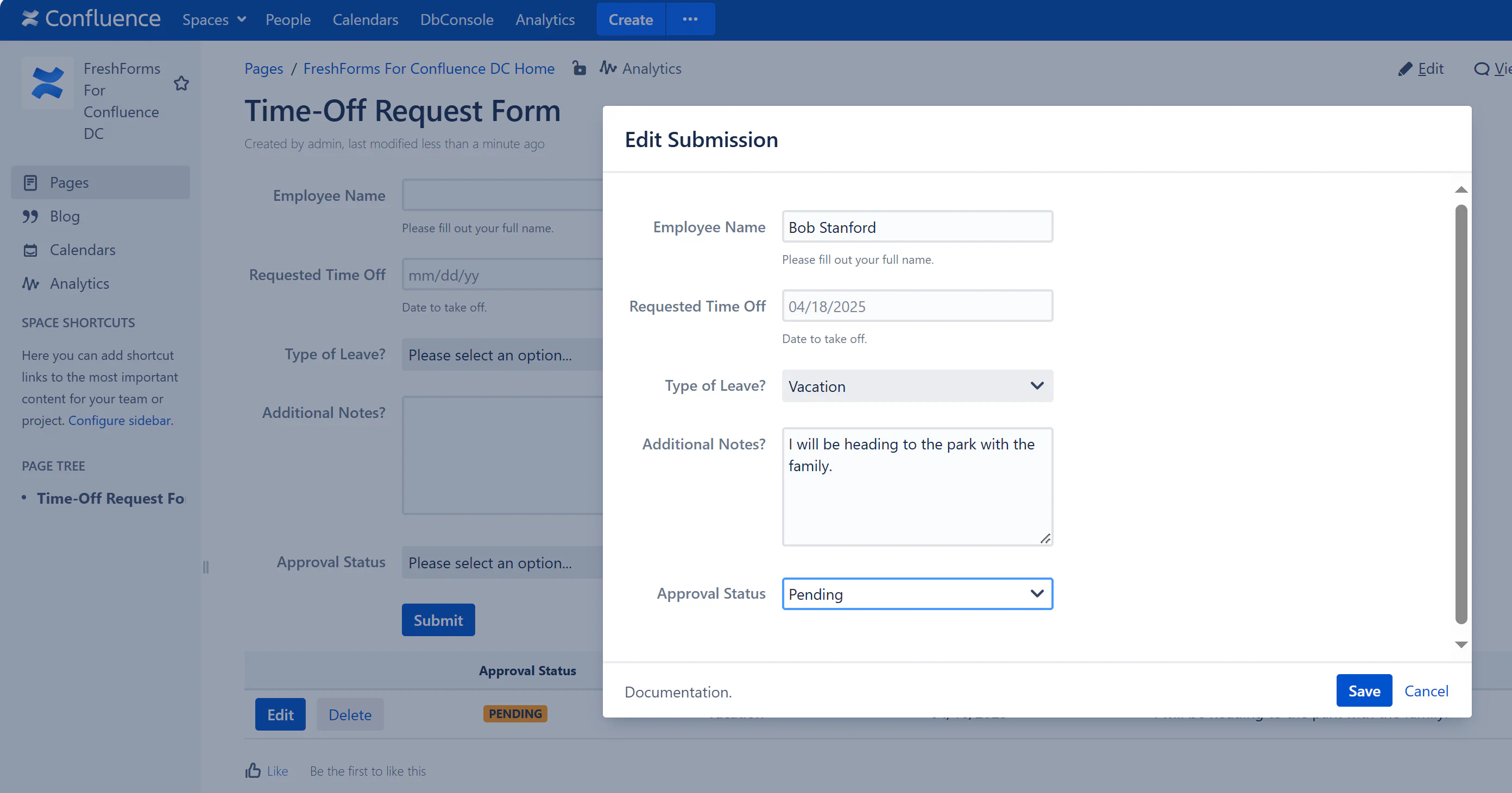
Once submitted, entries appear in a table below the form. You can Edit, Delete, or update the Approval Status directly from the page — no need to leave Confluence.