Title here
Summary here
Simplify internal training logistics. Let team members register themselves and notify the coordinator instantly by email. Use dropdowns for session types and manage lists directly in Confluence.
Include these fields:
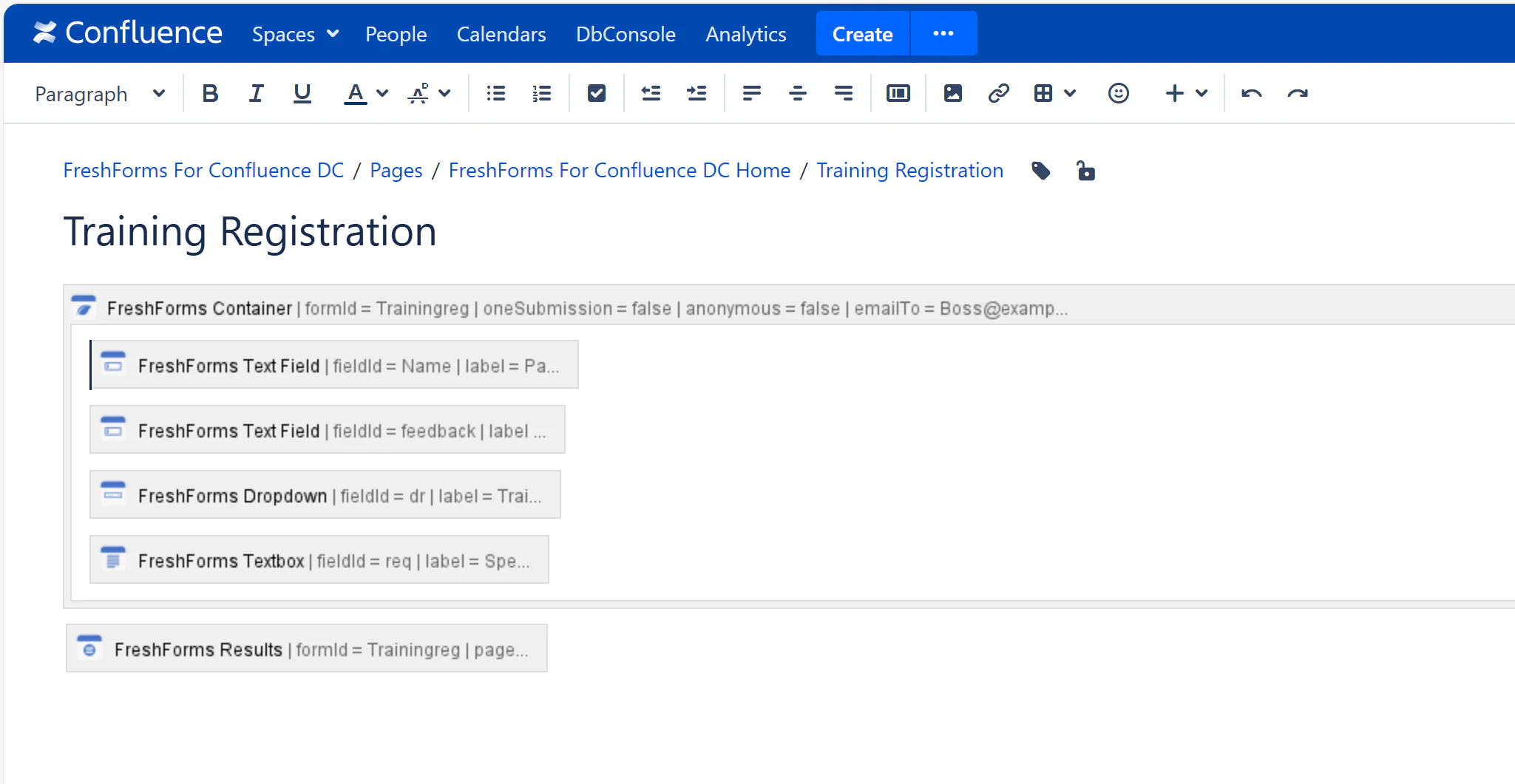
A team member signs up for an upcoming workshop. Use conditional fields for custom requirements.
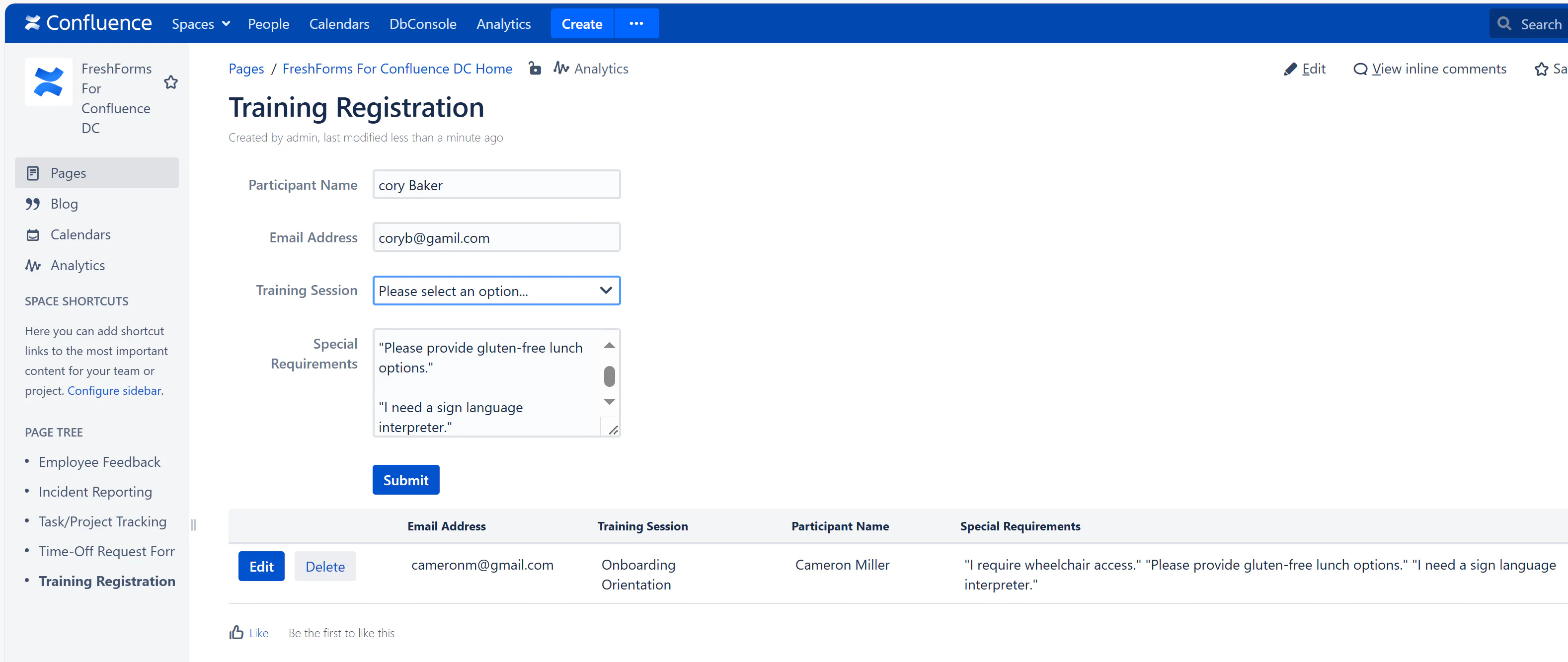
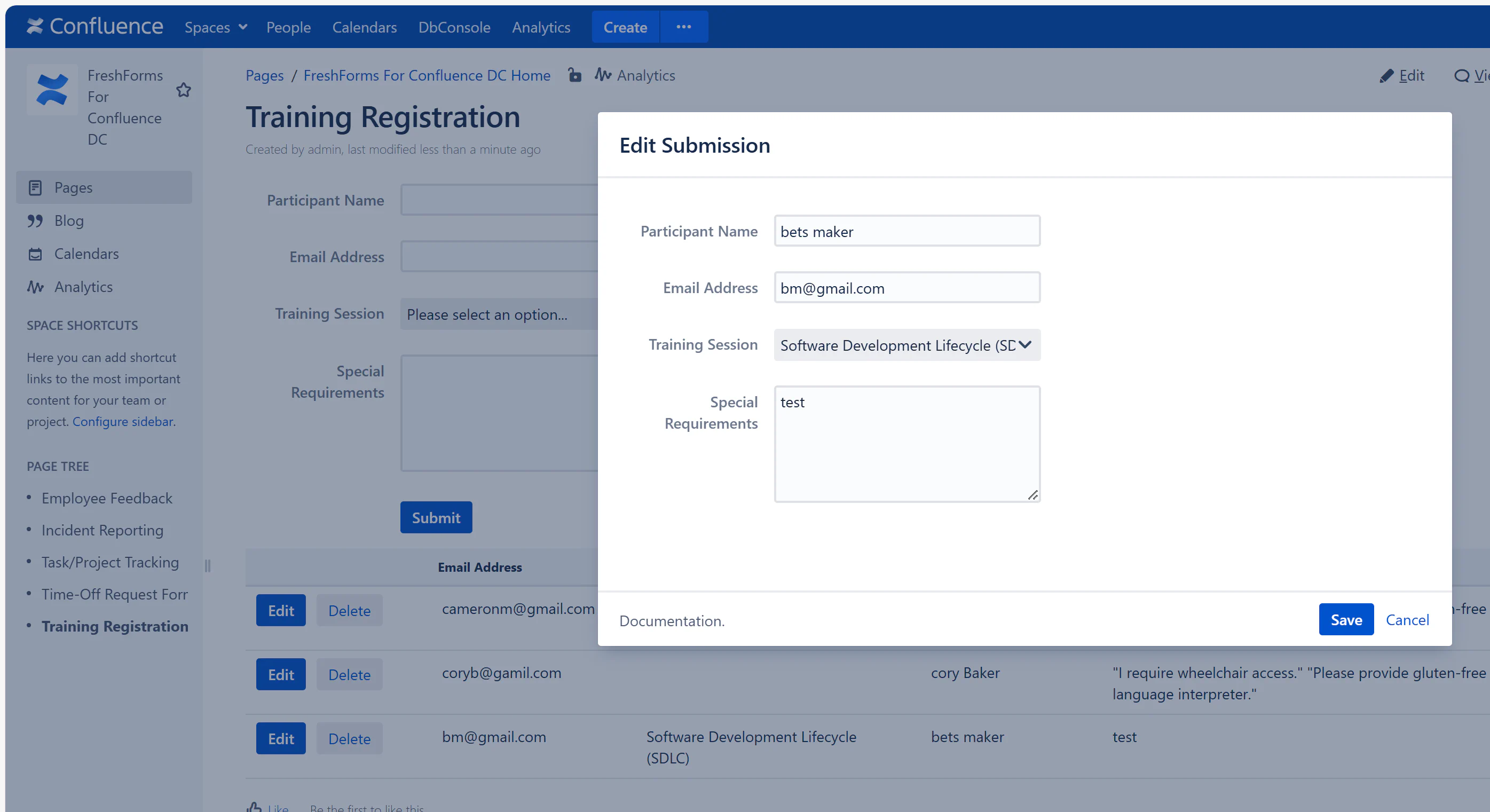
Track sign-ups and session interest using the results table. Update if a person cancels or switches sessions.